XTAR VC2S Charger Review
The XTAR VC2S is an updated charger, which supports 21700 cells and will also charge NiMH cells, too! Read on for testing!
Official Specs
Here’s a link to the XTAR VC2S Charger product page.
Price
These are going for around $20.
Short Review
This is a very capable charger, but I found the lack of ability to select the charging current to be a bother. But it’ll charge a single cell at 2A, so if that’s your need, then this is a good charger for you!
Long Review
Key Features
- Upgraded colorful VA LCD screen tells you real-time charging status!
- Intelligent Visible Experience.
- Micro-USB powered, charge anywhere.
- Internal Resistance Testing.
- Portable Power Bank Function.
- Battery Type Auto-identification.
- 0V Activation Function revives over-discharged battery.
- Soft Start& TC-CC-CV Three-Stage Charging.
Manual and Packaging
The typical XTAR blue and white:


The manual’s fine and includes multiple languages.

What’s Included

- XTAR VC2S 2-bay Charger
- USB to micro-USB cable
- Manual
Build Quality and Durability
The build of this little charger is quite nice. It’s moderately heavy, the springs are fairly stiff, and the screen is excellent.

You’ll get the joy of removing one of these screen protectors.

There are six rubber feet, and they’re quite grippy.
The back also adequately describes the capabilities of the charger, which is something I have always liked.

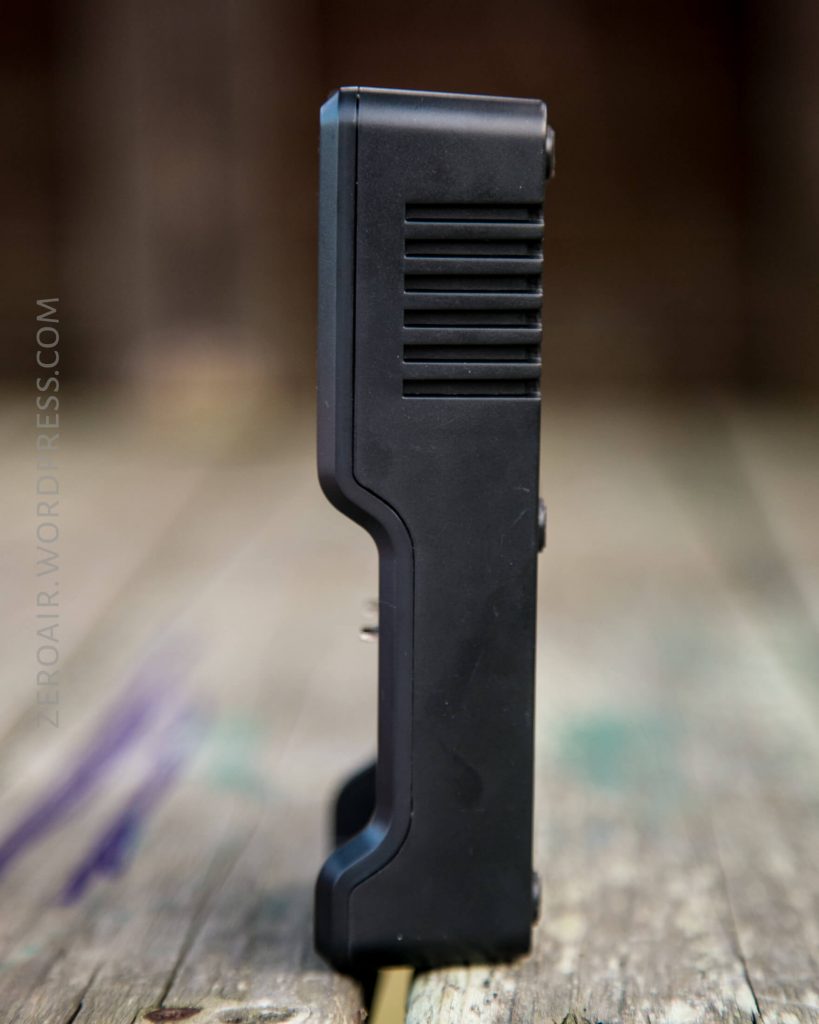
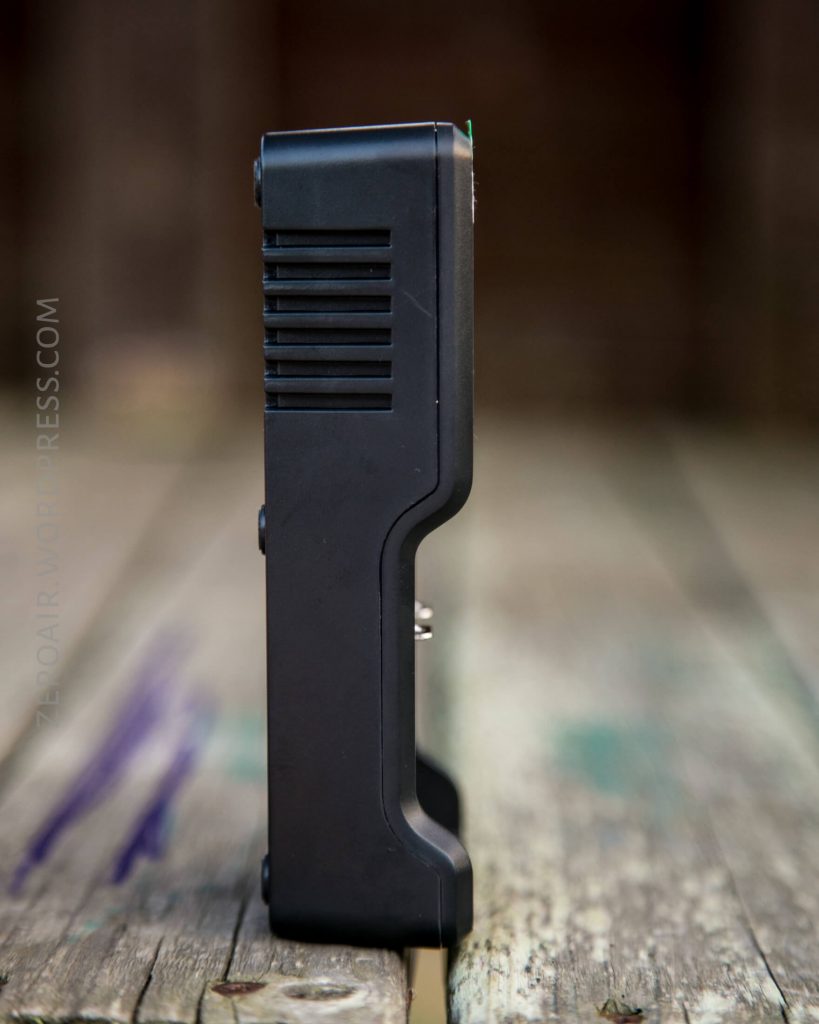
Only one side has ports, and that’s the top side. Every other is either blank (bottom) or has some slots for cooling.
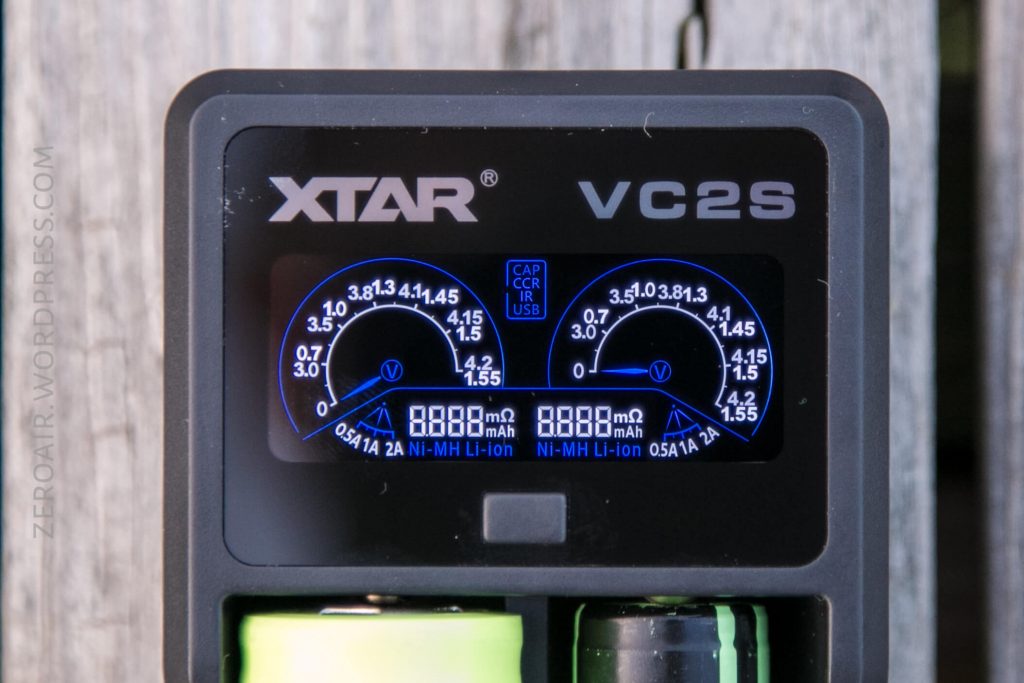
The screen is incredible. Very crisp, clear, and … interesting. I don’t really love this type of means to display information, but it’s still a very nice display.

Verrrryyyy shiny!!


Size
Officially 12966.532mm.
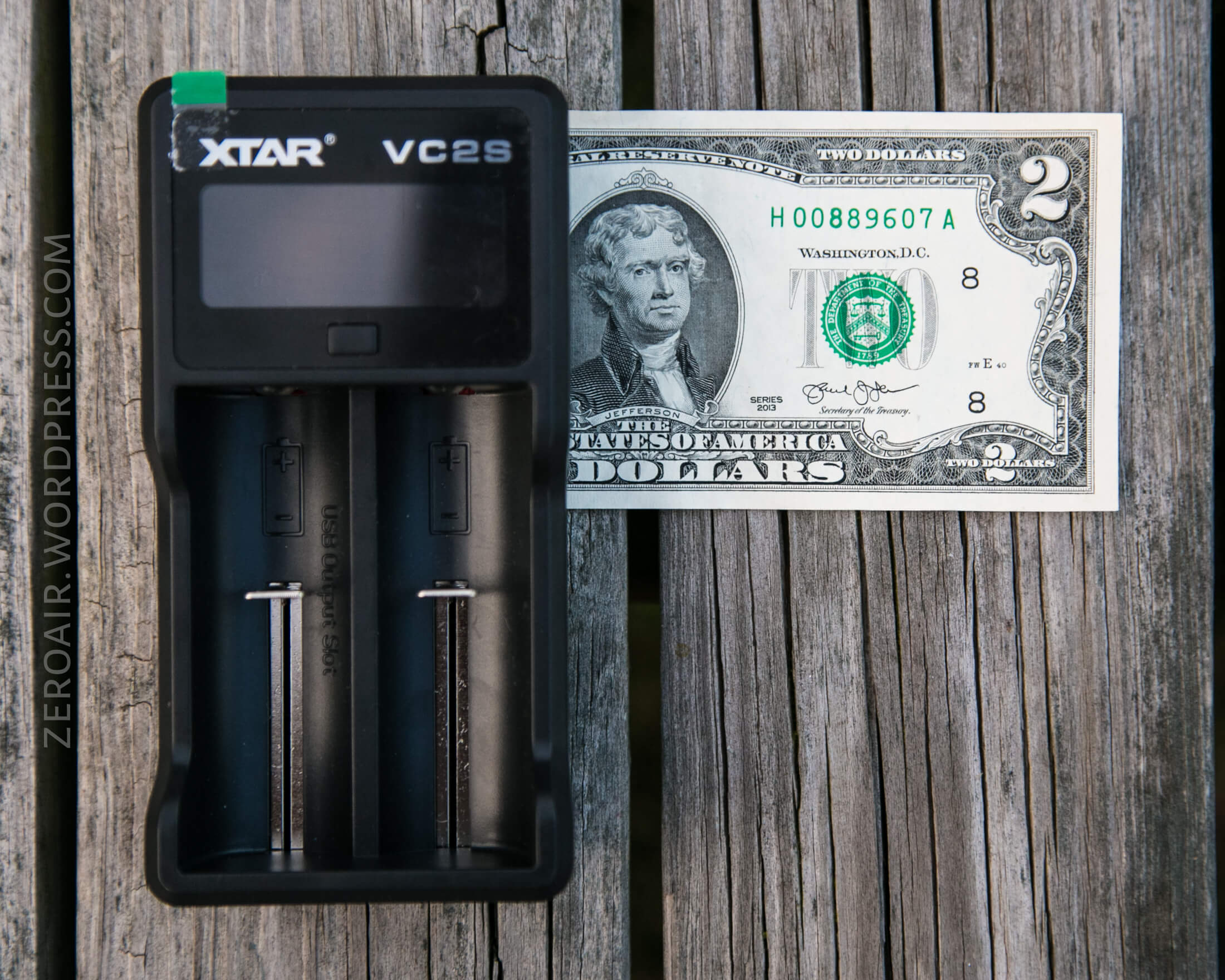
Power
The only means to power this charger is a micro-USB port on the top. It wants that input to be 2.1A, too.

As for what cells this charger will charge: many. Li-ion, NiMH, and NiCD chemistries are supported. Any size that’ll fit can be charged. Unfortunately that excludes the newer longer cells like 20700 and 21700. Edit: 21700 cells fit just fine! Unprotected flat-top 21700s, that is (though, I don’t know of any button top or protected 21700 cells.) All the way from 10440 to 26650 and AAAA to C.
Powerbank
The charger also has powerbank function (which I’ll talk about more later), but here’s what the screen looks like when the charger first powers up. Notice that there’s a center display says “USB” (in blue) and the voltage there reads 4.99V – that’s the voltage of the USB-out port.

Unfortunately for my testing of this charger, it’s sensitive enough to an internal resistance that my normal test setup wouldn’t work with it. That or it’s just too smart in general for my setup? Either is possible. So the below charts are from a makeshift setup but still tell the general idea.
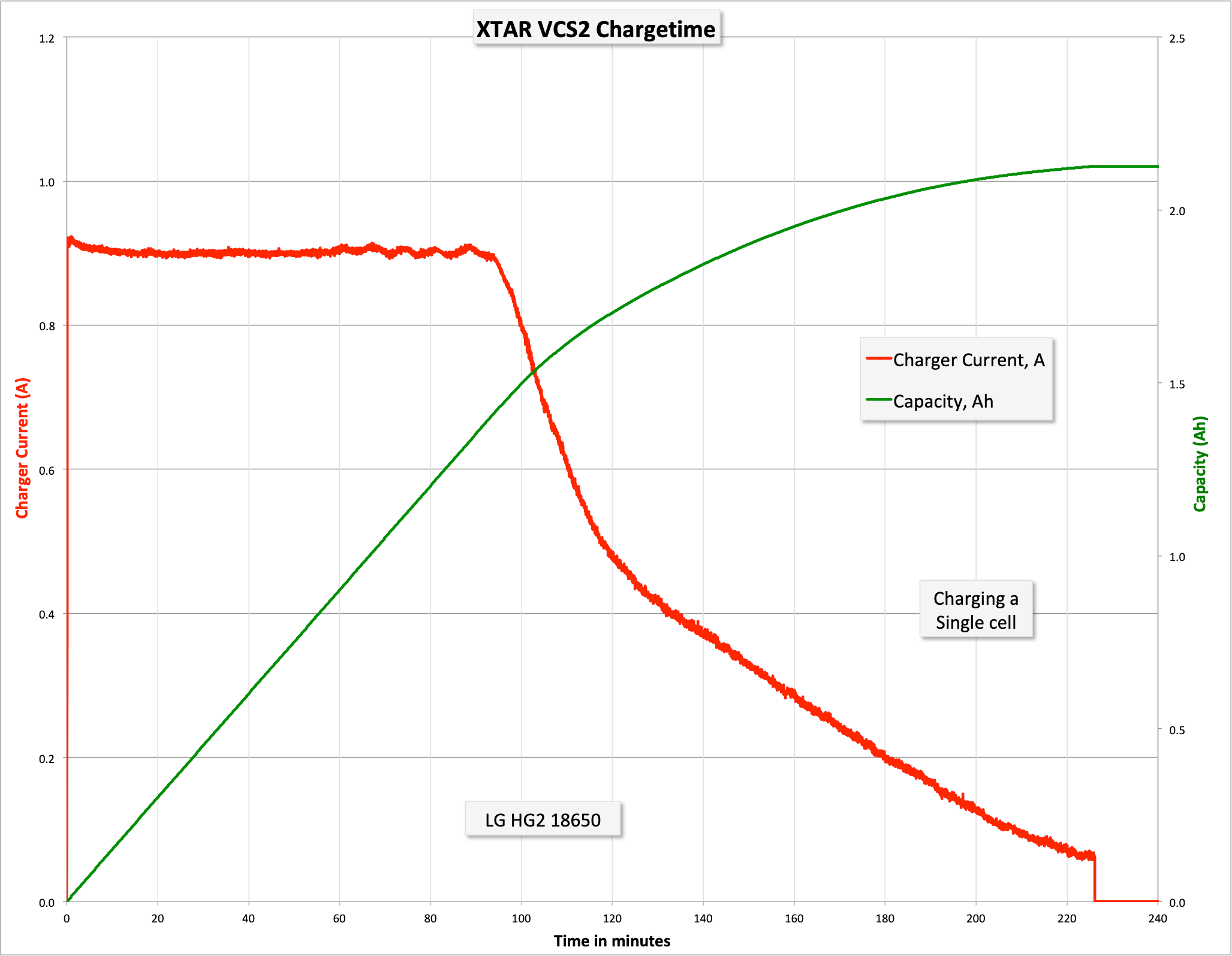
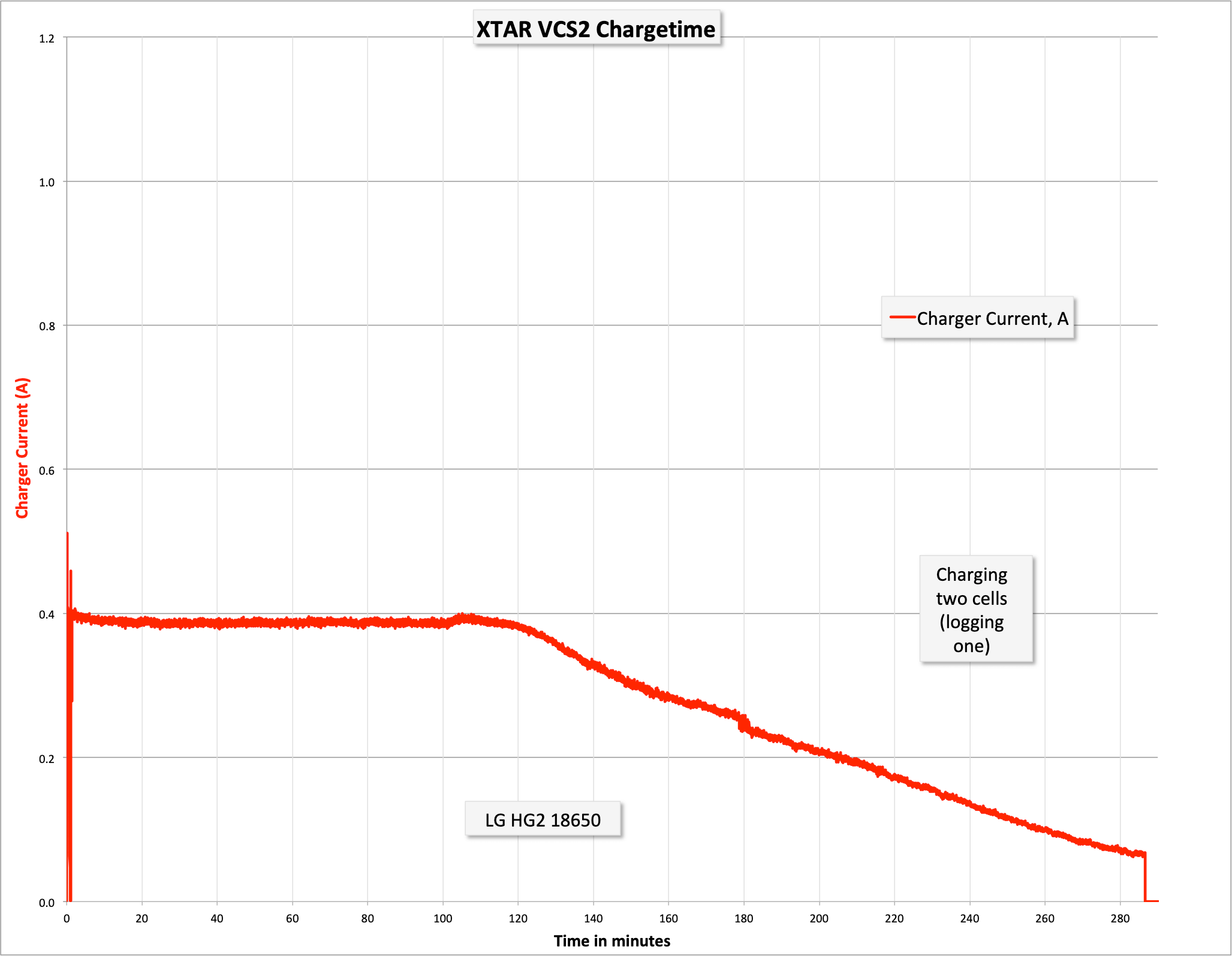
The charger outputs at a max 2A. Thus 2A is only possible when charging a single cell; having two or more cells in the device will split the 2A max possible between them. Not that it’ll still necessarily charge those two at 1A each, but it can.
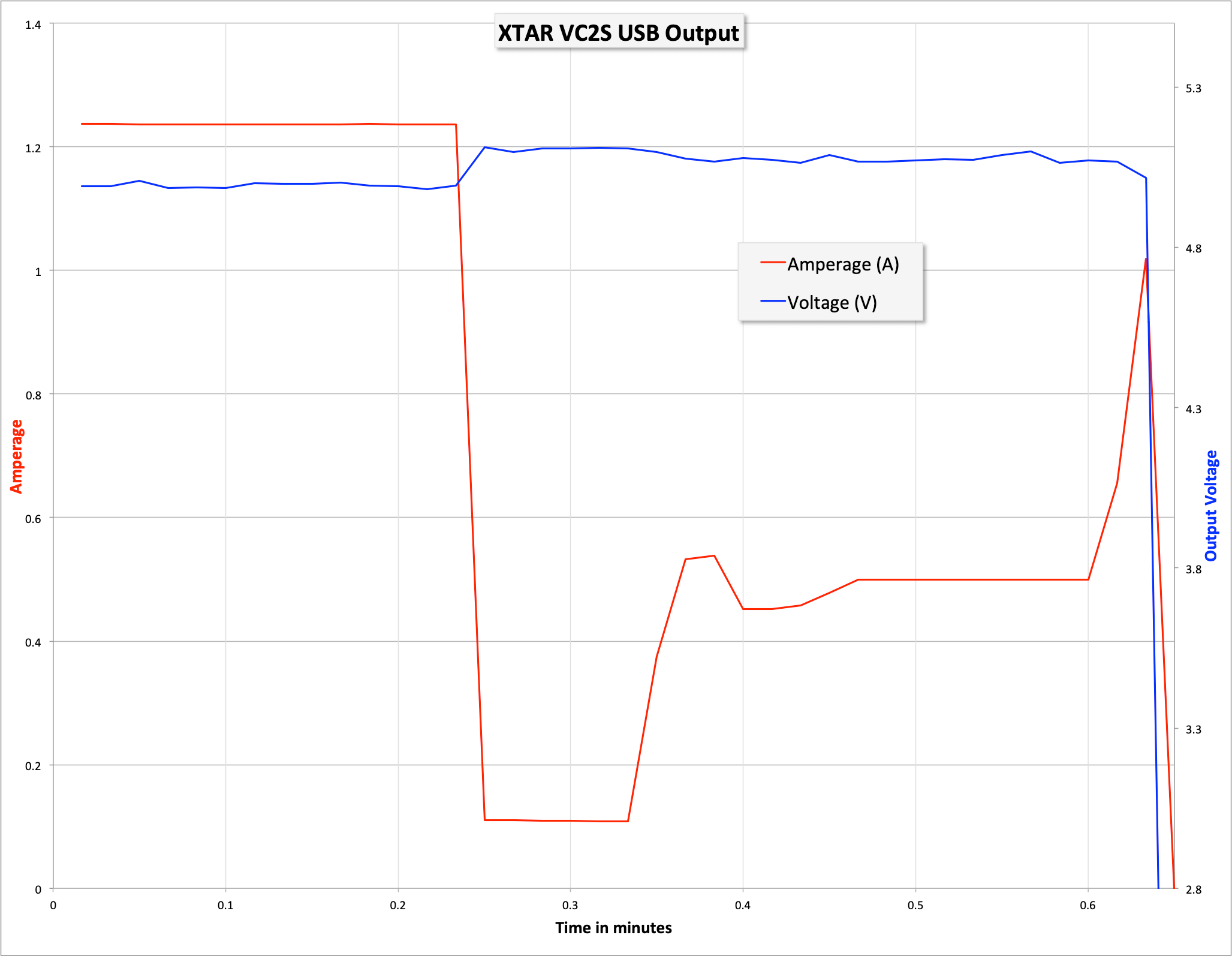
It’ll do a few other useful things too, like activate 0V cells, and serve as a powerbank. Below is a simple display of what the charger does from the USB-out port. Only the left bay is used for the powerbank feature (and it’s labeled as such). When a cell is inserted, nothing happens – press the switch and the charger comes to life. It’ll switch back to standby very quickly though – 5 or so seconds. If you attach a device, the charger will also come to life if it’s been inactive. The output wants a load. If there isn’t one almost immediately, the powerbank will shut off. So it needs half an amp or so being pulled – it’s not a low current device. And up around 1.3A being pulled, the powerbank shuts off. So the ideal range is between 0.5A and 1.2A. That’s a fairly narrow range for a powerbank if we’re being honest.
One thing I’ll add about charging is that the 2A setting is actually 2A. I tested that independently in a non-logging fashion, but it started just under 2A and held around 1.8ishA.
User Interface and Operation
There’s a single button on this device. It’s front and center, right at the bottom of the screen. It’s a hard click, and quite loud, and really just doesn’t do much anyway.
The charger selects charging current on its own (despite what some product listings say. In fact, the only thing the switch does is cycle the display from reading CAP (Capacity, CCR (real-time charging current), and IR (internal resistance).
On the one hand, that means this charger is smart enough to generally do what you want anyway. On the other, sometimes I might want 0.5A charging instead of 1A or 2A, and there’s no way whatsoever to do that.

Conclusion
What I like
- Limited button actions make this a “drop the cell in and forget it” charger
- Actually charges at 2A
What I don’t like
- Only 2A for one bay
- Button doesn’t allow selecting charging currents manually.
Notes
- This item was provided by XTAR for review. I was not paid to write this review.
- This content originally appeared at zeroair.org. Please visit there for the best experience!
- Use my amazon.com referral link if you’re willing to help support making more reviews like this one!
- Please support me on Patreon! I deeply appreciate your support!