

Lumintop FW3X Lume1 Flashlight Review
The Lumintop FW3X Lume1 flashlight was recently released in updated form. This version has a center RGB emitter and maintains the constant current buck/boost hardware. It’s a nice release – read on!
Lumintop FW3X Lume1 Flashlight Official Specs and Features
Here’s a link to the Lumintop FW3X Lume1 flashlight product page.
Versions
The FW3X is its own series of FW lights from Lumintop. Of this model, there seems to be just one. Of course, we know the FW series by Lumintop is massive and encompasses all sorts of lights, which I won’t cover here. Suffice to say there is almost certainly a version you’d like if this FW3X isn’t for you.
I will say there are different versions of Lume1 driver. As far as the FW3X is concerned, I think it only ever had the Lume1 as seen in this review. There’s also a Lume1 version that had separate RGB emitters, each with its own resistor which turned out to be problematic.
Price
The Lumintop FW3X Lume1 flashlight as seen here costs $79.95 direct from Lumintop.
Short Review of the Lumintop FW3X Lume1 Flashlight
I’ve been chasing a “center secondary” flashlight ever since I saw these Vinz quad drop-ins. (I still want one of those, by the way). Then I had a Reylight Krystal, which also had a center secondary (red or amber, mine’s red). This Lumintop FW3X Lume1 flashlight answers that “need” in spades – not only can I have red or amber, but I can also have RGB, and even mix them along the way. The secondary can display flashlight information for me. The secondary has modes. Otherwise, the Lume1 itself is fine, but if there was a lower low, I’d be appreciative.
Long Review
The Big Table
| Lumintop FW3X Lume1 Flashlight | |
|---|---|
| Emitter: | Cree XP-L HI (CW) |
| Price in USD at publication time: | $79.95 at LumintopLighting.com |
| Cell: | 1×18650 |
| Turbo Runtime Graph | High Runtime Graph |
| LVP? | Yes |
| Switch Type: | E-Switch |
| Quiescent Current (mA): | ? |
| On-Board Charging? | No |
| Claimed Lumens (lm) | 2800 |
| Measured Lumens (at 30s) | 2318 (82.8% of claim)^° |
| Candela per Lumen | 4.7 |
| Claimed Throw (m) | – |
| Candela (Calculated) in cd (at 30s) | 492lux @ 3.167m = 4935cd |
| Throw (Calculated) (m) | 140.5° |
| All my Lumintop reviews! | |
^ Measurement disclaimer: Testing flashlights is my hobby. I use hobbyist-level equipment for testing, including some I made myself. Try not to get buried in the details of manufacturer specifications versus measurements recorded here; A certain amount of difference (say, 10 or 15%) is perfectly reasonable.
° These measurements were taken at 30 seconds. In the case of this light, that’s after a massive stepdown. For the lumen measure, I’d reset the light to Turbo, and that’s the 30s reading (a little misleading), but I don’t know a better way to report it.
What’s Included

- Lumintop FW3X Lume1 flashlight
- Spare o-rings (2)
- Manual and papers
A cell is available for an extra $11.
Package and Manual

Below is a 16mb file… but at least you have the full manual!

Build Quality and Disassembly
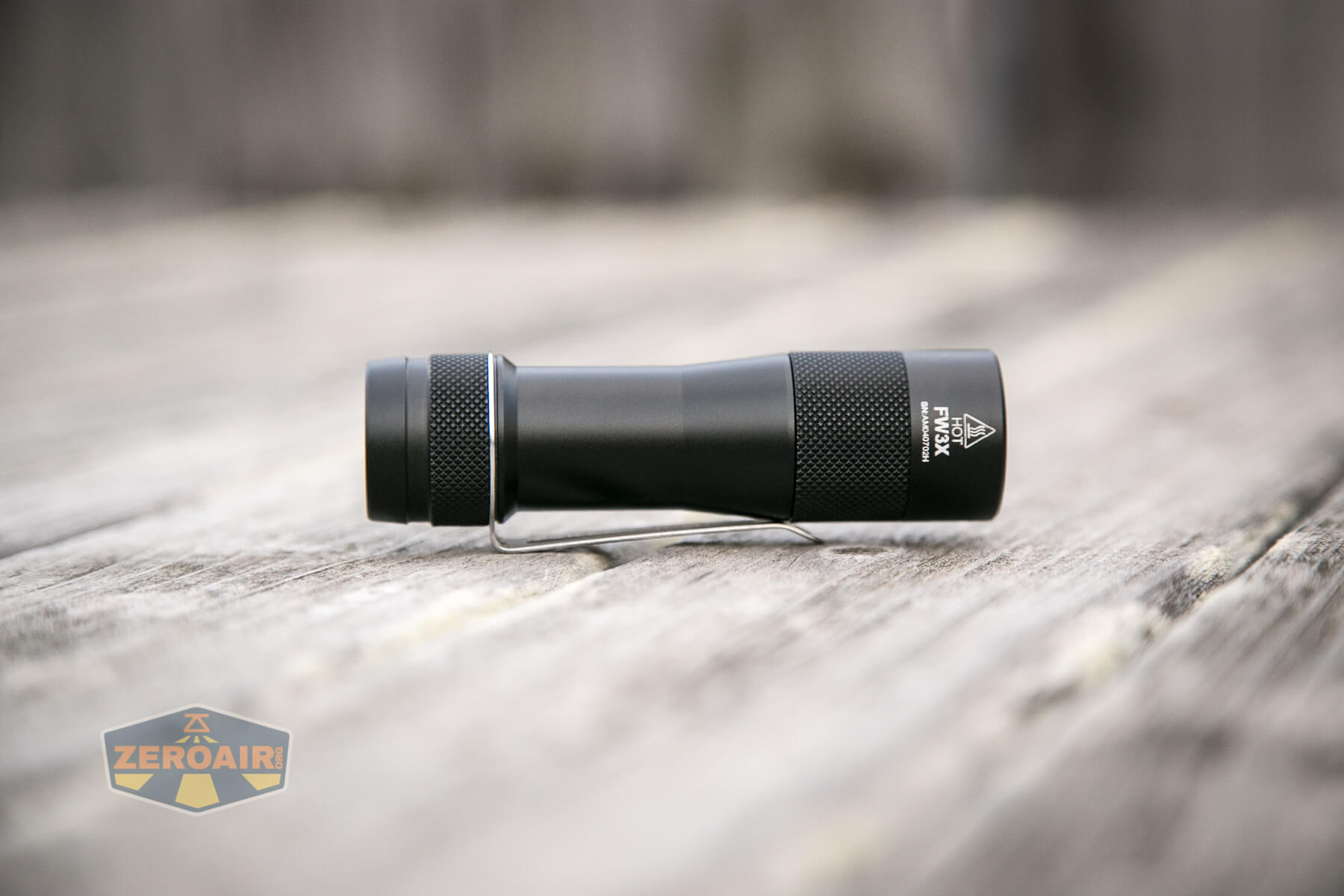
Externally this light is just like the other FW triples in look. Same knurling, same shape, same clip, etc. This is my first black anodized FW series light, though.


Here’s the top-down view:


The knurling is good here on the head. You’ll want to remove the head to swap cells. (The head, and not the tail.) Note that the bezel isn’t thread locked, so if you’re not deliberate, you might unscrew the bezel.

Typical build setup here with the FW3X. There’s an inner sleeve, which allows the tail-e-switch to function properly. Threads on both head and tail are unanodized.

These threads are different sizes, so swapping the direction accidentally isn’t going to happen.

Below you can see the Lume1 driver. I don’t know all that much about drivers, and less about the Lume1, but you can read anything you’d like to know here on this BLF thread. This is a “constant current buck-boost & FET driver.” Also, and very importantly, there are exposed programming pins!


The front end reveals new things, too. Note that square in the center – that’s the RGB emitter.

Size and Comps
Weight: Approximately 53 g without cells
Size: 25.5 mm Ø head x 92.5 mm length


If the flashlight will headstand, I’ll show try to it here. If the flashlight will tailstand, I usually show that here, too.


Here’s the test light with the venerable Convoy S2+. Mine is a custom “baked” edition Nichia 219b triple. A very nice 18650 light!


And here’s the light beside my custom-engraved TorchLAB BOSS 35, an 18350 light. I reviewed the aluminum version of that light in both 35 and 70 formats.

Here’s the FW3X alongside a brass FW3C.


Retention and Carry
The only way included for carrying the FW3X is the pocket clip.


It’s a collar-type clip, and the collar has a slightly larger diameter than the body. The clip is steel, and not incredibly thick; thick enough to be useful, but thin enough to be springy.

There’s also a hole in the top and bottom of the clip, on to which a lanyard might be connected.
I believe the clip is reversible, but I have not tested this setup.
Power and Runtime
The FW3X is powered by a single 18650 cell. Springs on both ends means any type 18650 can be used, but the max length is 66mm (which by definition rules out many protected cells, many button top cells, and probably all protected button top cells.)
I tested the FW3X with this Molicel P26A, which I also tested extensively.

There’s likely a lot of driver gymnastics going on here that I don’t know about, but performance can be seen below. There’s a massive stepdown from around 2400 lumens to around 900 lumens. We have to expect that a light like this (ie small, not much mass) won’t be holding 2400 lumens (or the claimed 2800 lumens) for long due to heat concerns. Still, it’s fairly possible to just double click over and over to reset the light to Turbo, and it mostly maintains that initial burst of very high output. So on the “FL1 standard” side of things, this isn’t good (ie it’s not meeting specification). But on the “going to be using this light daily” side of things, this is mostly fine.

Maybe the highest stepped mode is where we see the most improvements with this new driver (if it’s because of the new driver, I am not really sure. I am just noting the massive difference in this and other tests I’ve done.) Here (Highest Stepped), the output is held at around 1000 lumens for almost an hour before stepping down with low voltage protection. I personally would probably just forget about Turbo mode, and enjoy my 1000 lumen EDC 18650 flashlight!

The second highest stepped mode also has a very stable output at around 650 lumens, but the temperature seems to do something unusual here. I have tried to sort out what happened but I can not – I hope a driver expert will chime in. Sometimes during a test, my temperature probe will become dislodged, or move, or whatever, on a light and I can explain the temperature discrepancy that way. But not in this case. The probe was securely mounted and did not fall off (around the 55-minute mark). Second to that, the temperature here at 650 lumens is grossly higher than at the 1000 lumen output above…. I can’t explain it.

Either way, I’m pleased with the stable outputs.
I said it in the charts but I’ll say it here for search purposes: I did calibrate this light via Anduril for both accurate room temperature, and max temperature allowed (60°C).
Pulse Width Modulation
If you picked up on one thing that’s different about the Lume1 driver than the stock FW series driver, it’s probably that the Lume1 is a constant current driver. This should mean there’s no PWM on any mode. That’s… approximately… what we see. There are some sawtooths, but I am fairly sure this isn’t PWM. (PWM would go all the way to the baseline, ie “an off state” while these sawtooths do not.)


Here you can see a “baseline” – a chart with almost no light hitting the sensor.

Then there’s the Ultrafire WF-602C flashlight, which has some of the worst PWM I’ve seen. It’s so bad that I used a post about it to explain PWM! Here are multiple timescales (10ms, 5ms, 2ms, 1ms, 0.5ms, 0.2ms) to make comparing this “worst” PWM light to the test light easier. That post also explains why I didn’t test the WF-602C at the usual 50us scale.


User Interface and Operation
The interface for this light is a tail clicky but is an e-switch.
The button itself is metal (with that rubber cover under it) and has a very minimal amount of travel (1mm or less). Despite being a very big switch, it’s possible to actuate from anywhere on the surface – even the tiniest fingernail on the very edge will still work.
You’ll note that this switch has a laser engraved Lumintop Bunny logo.


The user interface here is ToyKeeper’s Anduril, which at this point is very well covered. I’ve reviewed other lights with it, too. Here’s ToyKeeper’s user interface graphic:

Here’s a user interface table anyway!
| State | Action | Result |
|---|---|---|
| Off | Hold | On (Low) |
| Off | Click | On (Mode Memory) |
| Off | Click 2x | Highest Hybrid Mode |
| Off | Click 3x | Blinkie Mode Group |
| Off | Click 4x | Lockout |
| Off | Click 5x | Momentary |
| Off | Click 6x | Muggle |
| Off | Click, Click, Hold | Strobe Group (Mode Memory Strobe) |
| Strobe Group | Click 2x | Strobe Cycle (Candle > Bike Flasher > Party Strobe > Tactical Strobe > Lightning Storm) |
| Blinkie Mode Group | Click 2x | Blinke Cycle (Sunset > Beacon > TempCheck > BattCheck) |
| On | Click 3x | Switch between Stepped and Smooth Ramp |
| On | Click 4x | Ramp Configuration |
| TempCheck | Click 4x | Thermal Configuration |
| Beacon | Click 4x | Beacon Configuration |
| Lockout | Click 4x | Off |
| Strobe Group | Click | Off |
| (Basically) On | Click | Off |
| Candle | Click 3x | 30-minute timer to off |
| Strobe Group | Hold | Heighten selected mode (Make faster or brighter) |
| Strobe Group | Click, Hold | Lessen selected mode (Make slower or dimmer) |
| On | Click 2x | FET Turbo |
| Ramp Configuration | [Wait for Single flash] Click N time for level N. | Selection of the “Low” you like best by clicking 1, 2, 3, etc. where 1, 2, 3, etc are different levels of low. |
| Ramp Configuration | [Wait for the Second flash] Click N time for 1+Turbo-N. | Selection of the “Ceiling” you like best by clicking 1, 2, 3, etc. where 1, 2, 3, etc are different Ceiling levels. |
| Ramp Configuration | [Wait for the Third flash] Click for how many steps you want in Stepped mode. | Sets Number of Steps. |
| Thermal Configuration | [Wait for the First flash] Click for N times for N degrees C. | Displays Current Temperature. |
| Thermal Configuration | [Wait for the Second flash] Click for N times for 30C + N. | Sets Temperature Limit. |
| Beacon Configuration | [Wait for the First flash] Click for N times N seconds per flash | Sets Beacon Speed. |
| Off | Click 7x | Change Secondary or switch brightness (Off, Low, High, Blinking) |
| Off | Click 7x (hold on 7th) | Change Secondary color (R, Y, G, C, B, V, W, Rainbow, Volts) |
| Lockout | Click 3x | Change Secondary or switch brightness (Off, Low, High, Blinking)ˇ |
| Lockout | Click 3x (hold on 3rd) | Change Secondary color (R, Y, G, C, B, V, W, Rainbow, Volts)‡ˇ |
‡ This seems to be light specific, or maybe driver-specific – On the Lume1 driver in the FW3X, the order is more like “Blue, Pink, Red, Amber, Green, Cyan, Yellow, Rainbow, Volts.” But just play with it. Also “Rainbow” is evident by how the option displays – it’ll roll through a few colors. But during selection, “Volts” is just a fast flashing of secondary.
ˇ After a programming entry has been made, the main emitters will flash once at a moderate brightness for confirmation.
If you want to see how to calibrate the thermals, see this part of the FW1A review. (I did calibrate this light; you can read more about that above.)
LED and Beam
My copy of this light has the Cree XP-L HI “CW” emitters. It’s a triple, so there are three of them in there. They are behind an optic – which gives a fantastic even beam profile.

Aside from the main three cool white emitters, there’s the aforementioned RGB emitter that is in the center. I love the center secondary. I love it on my Krystal. I love it in the Vinz P60 drop-in that I don’t even own. I would love for other lights with secondary emitters to have center secondary…. This is the way.
This particular secondary is exceptionally exceptional since it’s RGB and not just a single color. There are a number of settings that the secondary can perform, too, such as reporting the cell voltage.


For all options, two brightnesses are available. Low (which is “very low”) and High (which is “very high.”) The settings are completely disparate, too – in reality, low could be a little higher, and high could be a little lower and they’d still be different enough to be useful. As is, neither setting hits even close to the sweet spot of usefulness to me. Below you can see “secondary off,” “secondary low (green)”, and “secondary high (amber).”


These beamshots always have the following settings: f8, ISO100, 0.3s shutter, and manual 5000K exposure. These photos are taken at floor level, and the beam hits the ceiling around 9 feet away. As with most other Anduril flashlight reviews, I’ve included a shot of the lowest mode of ramping (that’s the absolute lowest mode), then the seven stepped modes, then the highest mode available (double click from on state). Same below with the comparison photos.


Tint vs BLF-348 (KillzoneFlashlights.com 219b version) (affiliate link)
I keep the test flashlight on the left and the BLF-348 reference flashlight on the right.


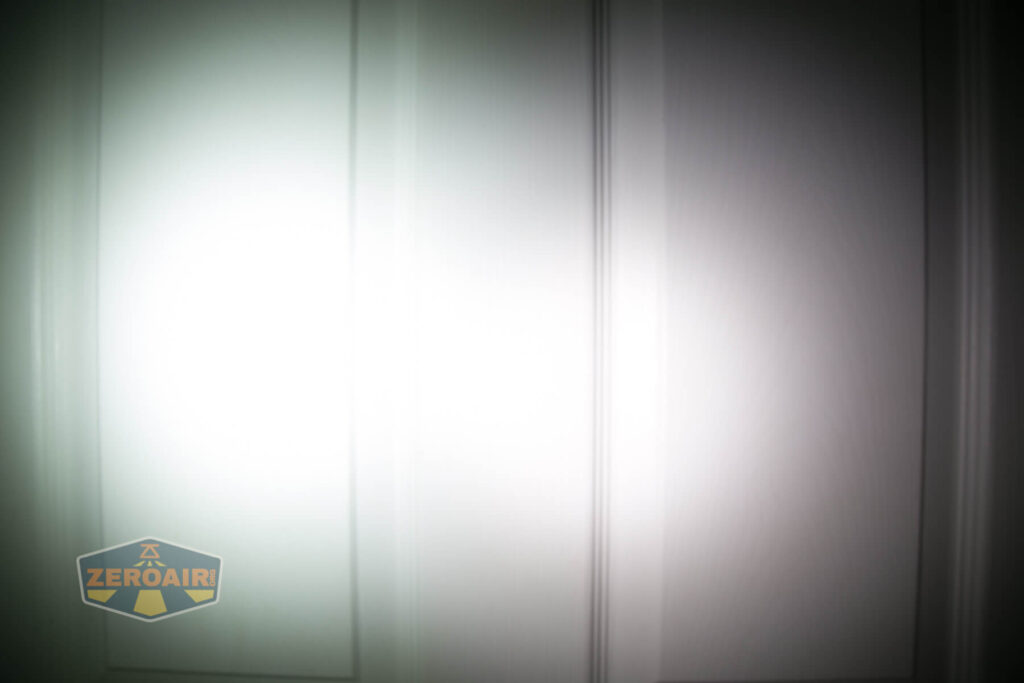


I compare everything to the KillzoneFlashlights.com 219b BLF-348 because it’s inexpensive and has the best tint!
Conclusion
What I like
- First off let’s mention that black anodization. Yes, it’s another black flashlight like 97.88% of flashlights, but it just works
- Lume1 driver seems great, if for nothing else than simply having center secondary
- Center secondary emitter! Also, it’s RGB. Win.
- This package and it’s 18650, not 18350? The size is great.
- Anduril user interface
- Anduril gives easy access for controlling the secondary emitter
What I don’t like
- Low isn’t all that low
- Secondary Low and High are too low and too high, respectively
- Should be shipping with Anduril2
Notes
- This light was provided by Lumintop for review. I was not paid to write this review.
- This content originally appeared at zeroair.org. Please visit there for the best experience!
- Please use my Amazon.com referral link to help support zeroair.org!
- Please support me on Patreon! I deeply appreciate your support!
Very nice!
Pingback: Lumintop FWAA 14500 Nichia Flashlight Review - ZeroAir Reviews