

RovyVon Aurora A2 USB-C Keychain Flashlight Review
The RovyVon Aurora A2 USB-C Keychain flashlight is a stainless steel light and offers USB-C charging, high CRI, and more! Read on for testing!
Official Specs and Features
Here’s a link to the RovyVon Aurora A2 USB-C keychain flashlight product page.
Versions
There are so many Aurora lights! Specifically, this RovyVon Aurora A2 keychain flashlight is stainless steel and comes in some emitter option versions. The emitter is available as Nichia 219c (seen here) in 5000K with 90CRI, but also a higher-output Luminus SST-20 at 6500K. This stainless version doesn’t have side (or “secondary”) emitters.
Price
The RovyVon Aurora A2 keychain flashlight is selling for $39.95 right now at RovyVon.com. The RovyVon Aurora A2 keychain flashlight is also available at amazon.com (referral link).
The coupon code “REDDIT” will get 10% off at rovyvon.com!
Short Review
Stainless steel adds a great amount of heft to the RovyVon Aurora A2 USB-C keychain flashlight. That alone makes this a fun option. Steel holds up very nicely to abuse, too.
Long Review
The Big Table
| RovyVon Aurora A2 USB-C keychain flashlight | |
|---|---|
| Emitter: | Nichia 219c (5000K, High CRI (90+)) |
| Price in USD at publication time: | $39.95 on amazon.com |
| Cell: | Internal |
| High Runtime Graph | Medium Runtime Graph |
| LVP? | Yes |
| Switch Type: | E-Switch |
| Quiescent Current (mA): | ? |
| On-Board Charging? | Yes |
| Charge Port Type: | USB-C |
| Charge Graph | |
| Power off Charge Port | Lowest two modes only |
| Claimed Lumens (lm) | 420 |
| Measured Lumens (at 30s) | 283 (67.4% of claim)^ |
| Candela per Lumen | 4.9 |
| Claimed Throw (m) | 70 |
| Candela (Calculated) in cd (at 30s) | 58lux @ 4.712m = 1288cd |
| Throw (Calculated) (m) | 71.8 (102.6% of claim)^ |
| Claimed CCT | 5000 |
| Measured CCT Range (K) | 4900 Kelvin |
| Item provided for review by: | RovyVon |
| All my RovyVon reviews! | |
^ Measurement disclaimer: Testing flashlights is my hobby. I use hobbyist-level equipment for testing, including some I made myself. Try not to get buried in the details of manufacturer specifications versus measurements recorded here; A certain amount of difference (say, 10 or 15%) is perfectly reasonable.
What’s Included

- RovyVon Aurora A2 USB-C keychain flashlight
- Tailcap magnet attachment
- Pocket clip (with magnet)
- Charge port cover spare
- Split rings (two types)
- Manual
Package and Manual


Build Quality and Disassembly

The RovyVon Aurora A2 USB-C is a very solid little keychain flashlight. The body is stainless steel aside from the switch, which is the usual silicone cover e-switch.


This little notch in the tailcap is not a tritium slot. It’s where the tailcap magnet attaches.


Size and Comps
Size: 2.26″ (Length) x 0.61″ (Diameter)
Weight: 34g/1.2oz


If the flashlight will headstand, I’ll show it here (usually the third photo). If the flashlight will tailstand, I’ll show that here, too (usually the fourth photo).


Here’s the test light with the venerable Convoy S2+. Mine is a custom “baked” edition Nichia 219b triple. A very nice 18650 light!

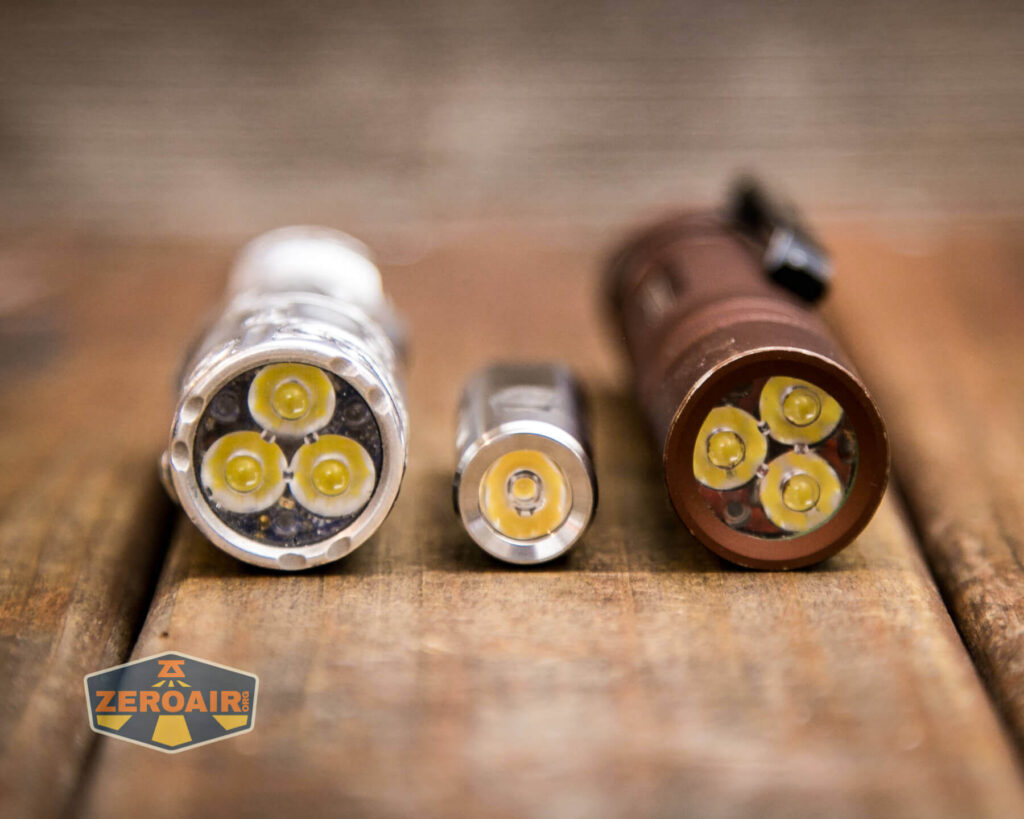
Also seen is the light beside my custom-engraved TorchLAB BOSS 35, an 18350 light. I reviewed the aluminum version of that light in both 35 and 70 formats.
Retention and Carry
As with other Auroras, the RovyVon Aurora A2 USB-C keychain flashlight has a pocket clip. This does not ship attached to the light, and it has a new magnetic side feature! The magnet is perfectly strong for holding the light in any orientation.

Not just the pocket clip, but the tailcap also has an attachment and that attachment also has a magnet!
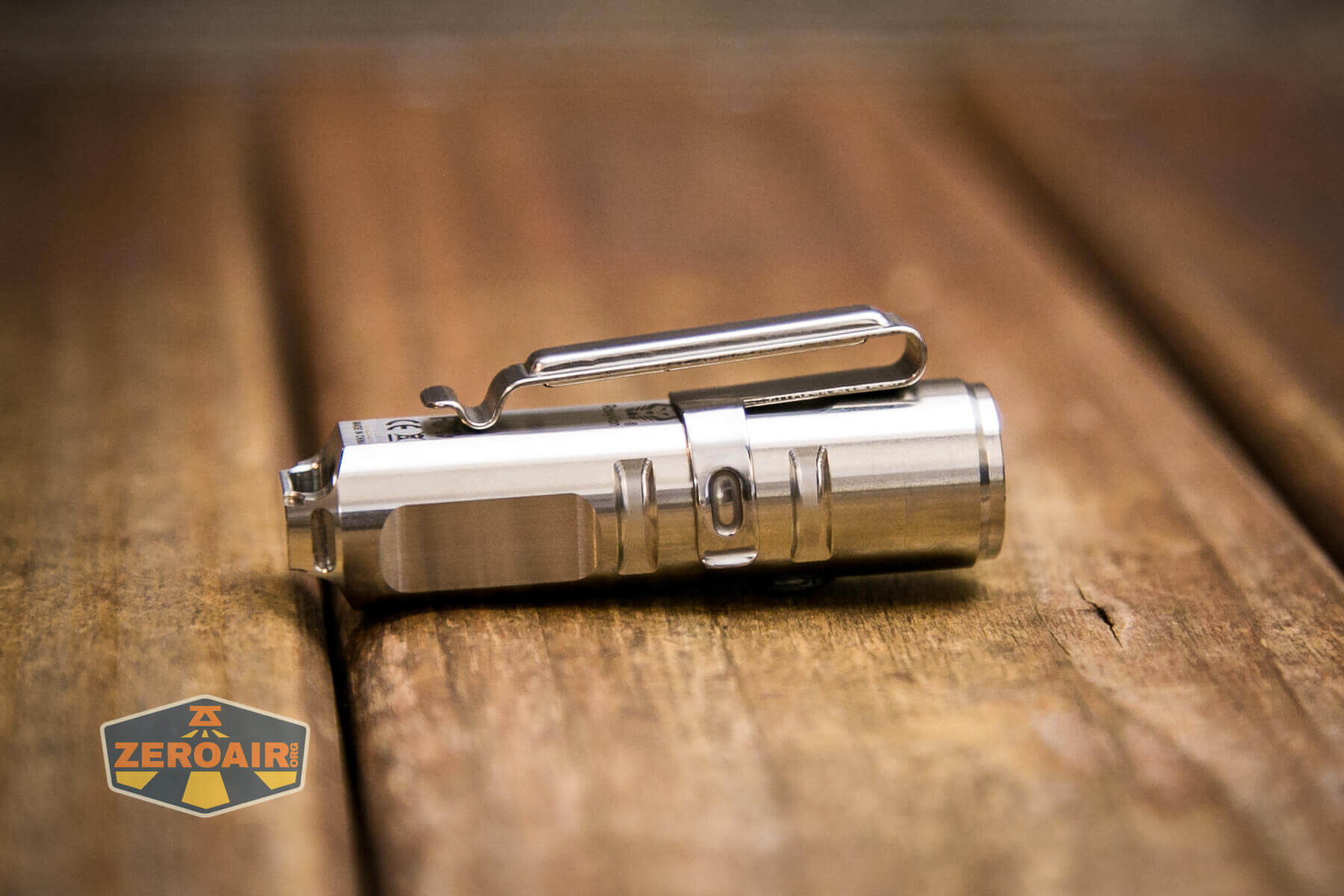
There are three grooves or three options for connection of the pocket clip.
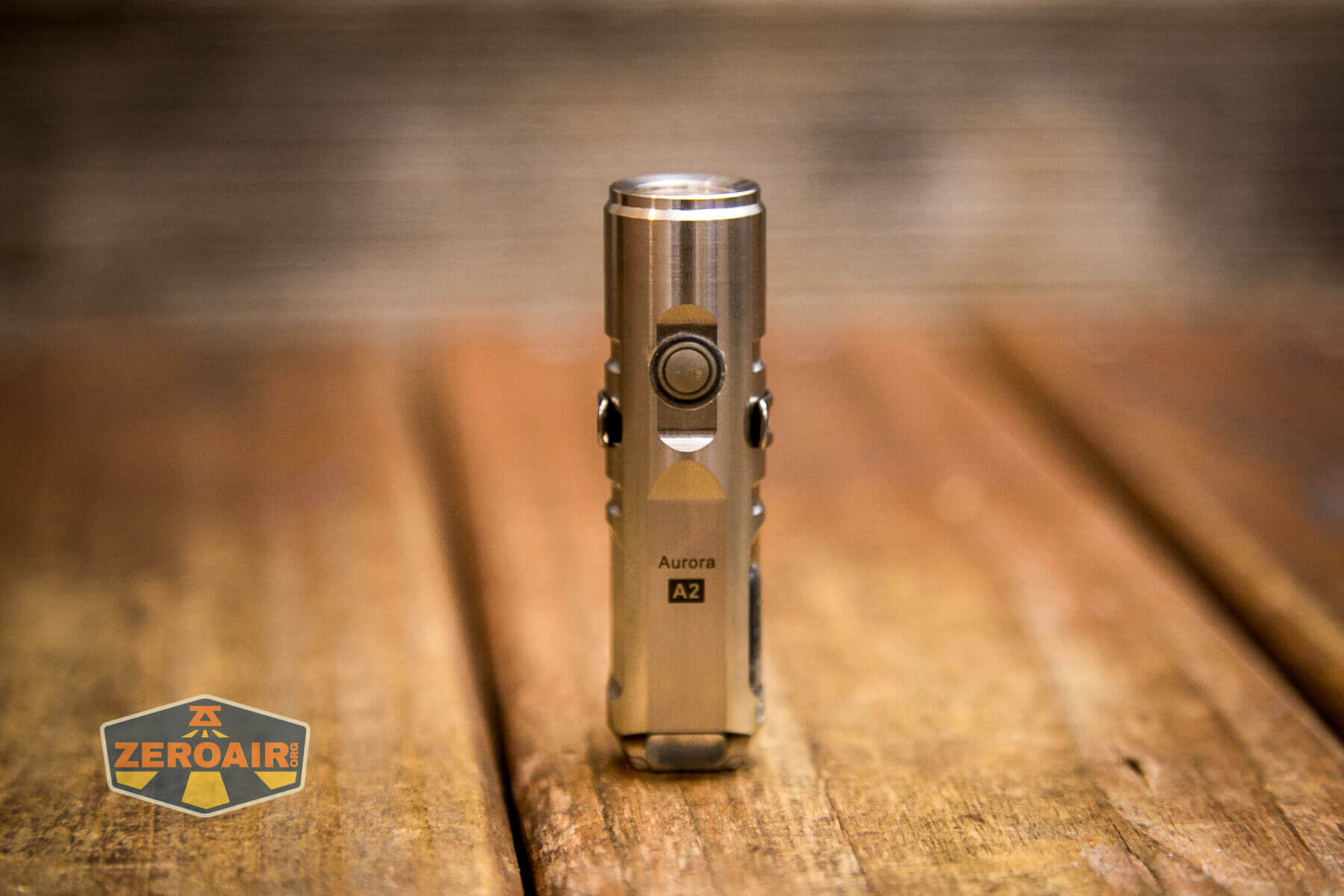
Also included is this little tailcap magnet I mentioned above. This connector snaps in.

The A2 is heavy enough that connection in the way seen below is a bit tentative. It does work, though.


RovyVon includes two split rings too.
Power and Runtime
The battery is built-in and not removable. The LiPO is a 300mAh battery.


The light shuts off when the cell voltage is low, but I’m not able to test at what voltage it shuts off. RovyVon has confirmed that the shutoff voltage is 2.8V.
Charging
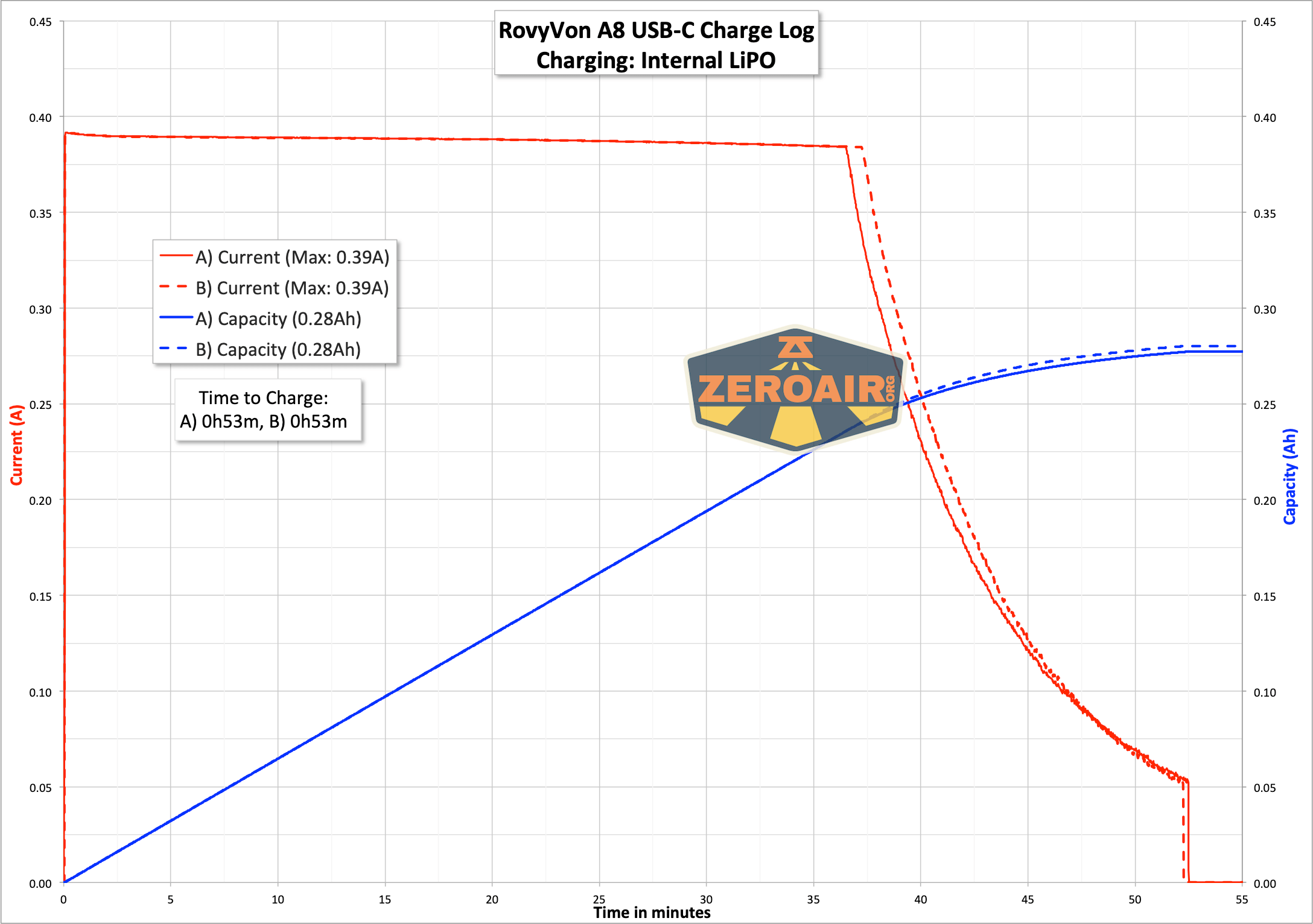
The RovyVon Aurora A2 is charged via USB-C, which has a push-in rubber cover. This cover stays attached. The plug is a little harder to manipulate than most I’ve used, but it works just fine.


It’s nice to note that C to C charging works too. I couldn’t log it, but it’s the same as with the RovyVon A8.
Modes and Currents
| Mode | Mode Claimed Output (lm) | Claimed Runtime | Measured Lumens |
|---|---|---|---|
| High | 420 | 1m+90m | 0s: 420 30s: 283 |
| Medium | 150 | 1m+2h | 126 |
| Low | 20 | 8h | 18 |
| Moon | 0.5 | 72h | 0.2 |
Pulse Width Modulation
The order below is the same as mode order – lowest to highest.


Here you can see a “baseline” – a chart with almost no light hitting the sensor.

Then there’s the Ultrafire WF-602C flashlight, which has some of the worst PWM I’ve seen. It’s so bad that I used a post about it to explain PWM! Here are multiple timescales (10ms, 5ms, 2ms, 1ms, 0.5ms, 0.2ms) to make comparing this “worst” PWM light to the test light easier. That post also explains why I didn’t test the WF-602C at the usual 50us scale.


User Interface and Operation
There’s a single side switch for operating the RovyVon Aurora A2 keychain flashlight. It’s a clicky e-switch.


Here’s a user interface table!
| State | Action | Result |
|---|---|---|
| Off | Hold | No action |
| Off | Click | No action |
| Off | Double Click | Memorized mode (technically the manually memorized mode^) |
| On | Click | Mode Cycle (Moon > Low > Med > High) |
| On | Hold | Off |
| On >3m | Click | Off (and also sets the mode memory) |
| Any | Click 3x | Strobe |
^ It’s possible to memorize any of the 4 modes with this UI. Just leave the light on for around 3 minutes, and that mode is memorized (except for secondary emitters). Your light will likely ship with this mode set to High!
LED and Beam
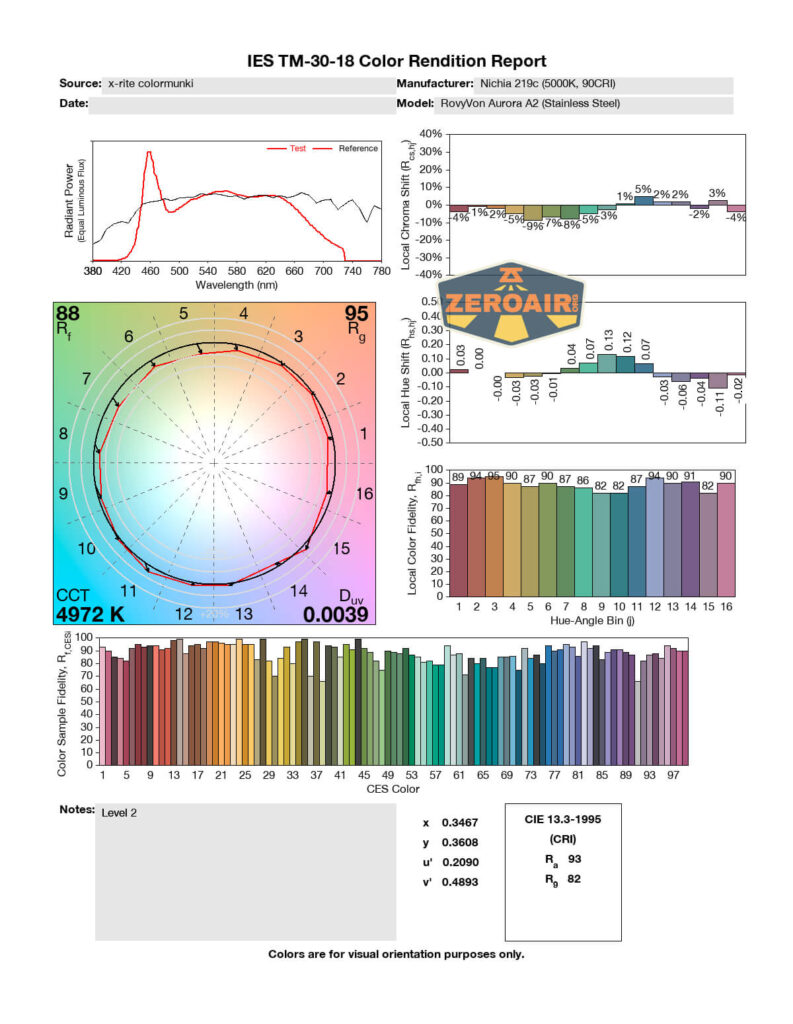
The main emitter here is a Nichia 219c with 5000K and 90CRI. That’s great! The tiny optic makes the beam very usable, too.


LED Color Report (CRI and CCT)
The order is as above. It’s nice to note that RovyVon gives accurate data on the 5000K emitter, and the CRI (at 92) is a bit better than the specification!



Beamshots
These beamshots always have the following settings: f8, ISO100, 0.3s shutter, and manual 5000K exposure. These photos are taken at floor level, and the beam hits the ceiling around 9 feet away.


Tint vs BLF-348 (KillzoneFlashlights.com 219b version) (affiliate link)
I keep the test flashlight on the left and the BLF-348 reference flashlight on the right.


I compare everything to the KillzoneFlashlights.com 219b BLF-348 because it’s inexpensive and has the best tint!
Conclusion
What I like
- USB-C charging is a nice update
- C to C charging works!
- Nichia 219c emitter at 5000K and 90CRI is a great choice
- Magnets on pocket clip and tailcap are useful
- Stainless steel makes this a good solid weighty option
What I don’t like
- Output falls below specification
Notes
- This content originally appeared at zeroair.org. Please visit there for the best experience!
- Please use my Amazon.com referral link to help support zeroair.org!
- Please support me on Patreon! I deeply appreciate your support!