

Olight Haloop Camping Lantern Review
Olight has released the Haloop, a lantern intended for camping, and specifically for umbrellas. There are other options, though, so read on!
Official Specs and Features
Here’s a link to the Olight Haloop camping lantern product page.
Versions
There’s only one version of the Olight Haloop camping lantern, but it’s available in three body colors: Black (seen here), Forest Green, and Clay Beige.
Price
When the Olight Haloop camping lantern was available, it sold for $79.99 (ShareASale link). I’m unsure if that was an Olight introductory price or if that’s MSRP.
Short Review
The Olight Haloop camping lantern seems oddly specific. It’s very neat, and it does work very well, but I struggle to think of a time when I’d use this over the other Olight lanterns like the Olantern Classic 2 Pro (which I own, and love.) If you have the specific need that the Haloop fits, then the Haloop will indeed be perfect for you. As far as just a general lantern user, it’s good if you can find a place to hang it!
Long Review
What’s Included

- Olight Haloop camping lantern
- Charging cable (USB-C to USB-C)
- Hanging straps
- Manual
Package and Manual


Build Quality and Disassembly
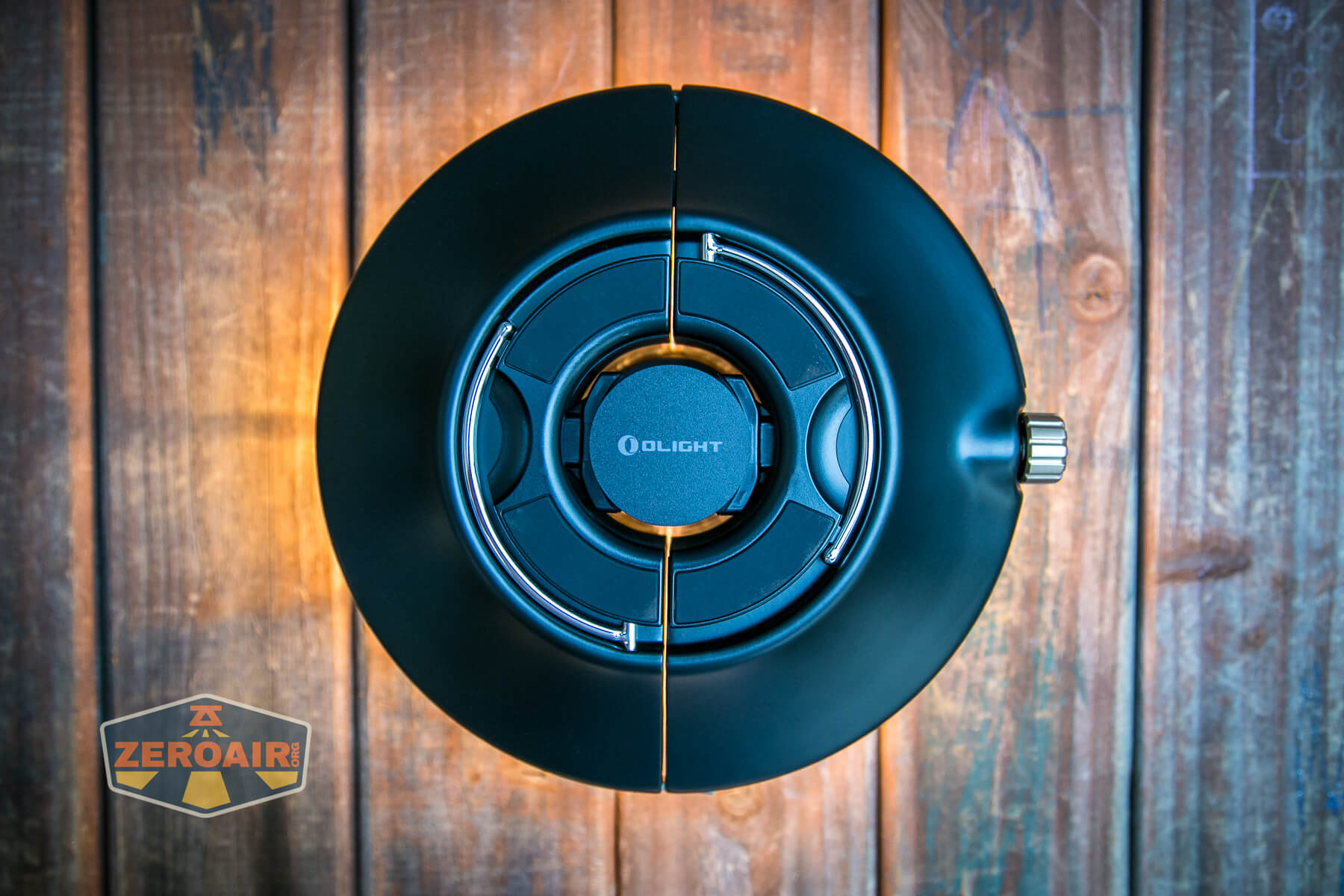


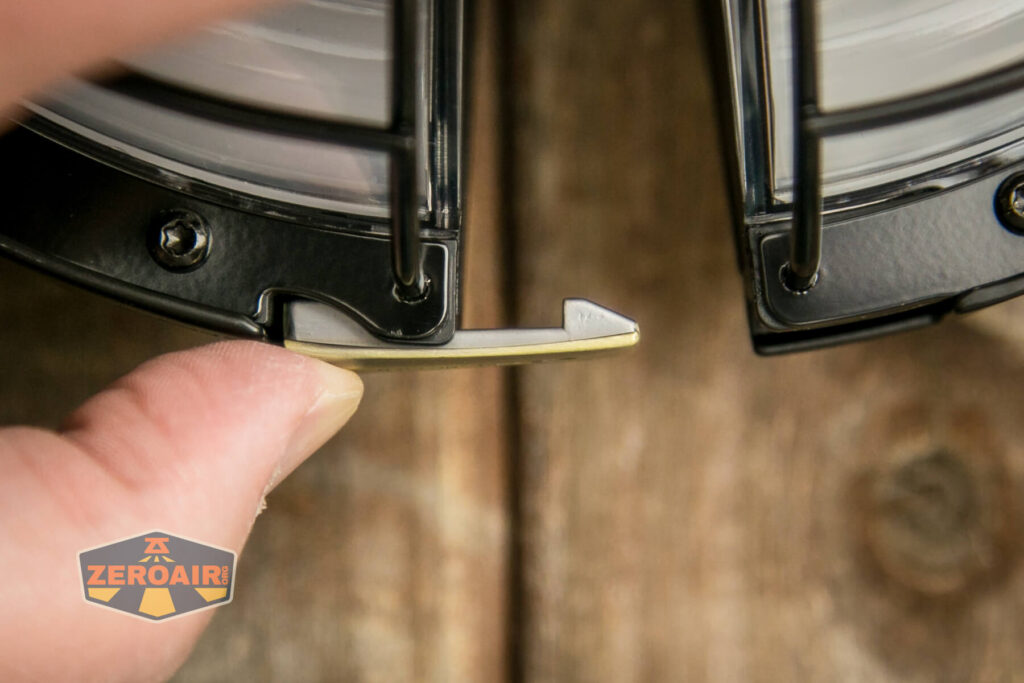
There are plenty of nice appointments on the Haloop, including this latch.

More on this part later – this has to do with holding the Haloop somewhere.


On the collar, as you can see in the next few images, are indicators of how to use the Haloop.


This latch is particularly rewarding…


Size and Comps
Weight: 33.5 oz (950 g)
Height: 3.80 in (96.5 mm)
Length: 8.03 in (204 mm)
Width: 7.80 in (198 mm)

Here’s the test light with the venerable Convoy S2+. Mine is a custom “baked” edition Nichia 219b triple. A very nice 18650 light!

Also seen above is the light beside my custom-engraved TorchLAB BOSS 35, an 18350 light. I reviewed the aluminum version of that light in both 35 and 70 formats.
Retention and Carry
There are quite a few ways to put the Olight Haloop camping lantern somewhere. First and probably most obvious is the two loops that make a handle of sorts, on the top side.

These loops fold down separately and stow away nicely.
Next, I’ll mention the clamp which you can see in the center, below. This clamp is springy, so can attach the Haloop to various diameter items.

Below you can see the Haloop attached to a random Ikea stool. This is a great stool by the way, and you need one!

But there are other options. If you clamp in the piece seen below, you can use the Olight Haloop camping lantern on a tripod! That’s a threaded piece specifically for tripod-mount. That’s a nice touch.
But if you don’t have a tripod, you can use these velcro pieces to attack through the loops seen in the plastic piece below and hang the Haloop inside an umbrella.
Power and Runtime
Much like with the Olight Olantern Classic 2 Pro (which I love), the Olight Haloop camping lantern has a built-in battery. I don’t believe they’re accessible (at least not in any obvious way) but Olight says it has four 18500 cells inside, with a total capacity of 8800mAh.
Charging
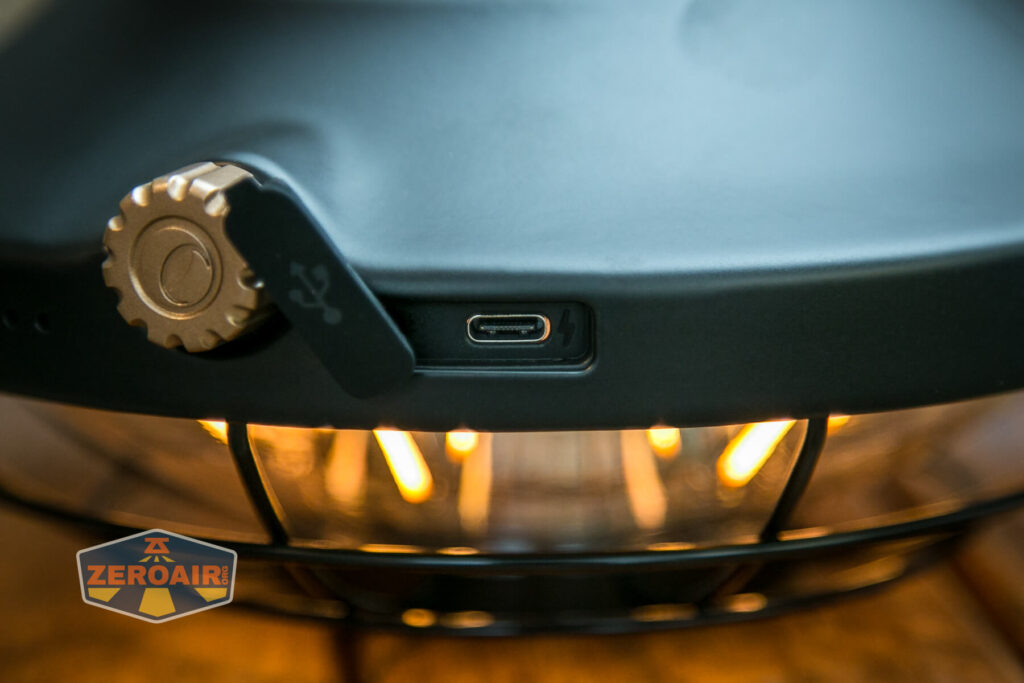
Unlike the Olantern Classic 2 Pro, there’s just one way to charge the Olight Haloop camping lantern. That’s fine because it’s the better of the options. The Haloop uses USB-C charging, and can charge C to C as well.


Powerbank
While I’m not going to cover it with any testing, the Haloop can serve as a powerbank, too. The USB-C port serves as a power source, too – it’s not just for charging! The C port can output at 5V, 9V, and 12V!
The 8800mAh battery that’s built-in should provide a number of complete charges to mobile phones. Or many charges, if you’re charging something like the Olight Baton!
User Interface and Operation
All control of the Olight Haloop camping lantern is through this one dial you see below.
Rotate the dial clockwise to turn the lantern on and to increase output. Rotate the dial counterclockwise to decrease output and ultimately turn the light off. This dial is my one complaint about the Haloop (just like it was for the Olantern Classic 2 Pro). It’s a minor complaint, but hear me out.
There’s a very loud and positive click when going from off to on. The click provides a great bit of resistance, which is good – you won’t accidentally turn the light on, and you’ll know definitively when the light is off. The clicking is loud but not annoyingly so. When going from lower output (which is very warm white) to higher output (which is warm white but less warm) the lantern actually switches sets of emitters. Below, you can see the higher output emitters.
LED and Beam
Olight doesn’t state what emitters are used in the Olight Haloop camping lantern. There are two sets. The tube-like long emitter array is for very warm white and a set of cooler white emitters under the white diffuser.
Here’s warm white in action.

There’s not really a state where both sets of emitters stay on at the same time. When you ramp up, the emitters do fade between one set and the other, but they still do not stay on while the other output is selected.


The brighter LEDs get a diffuser.

Conclusion
What I like
- Interesting UFO-like design
- USB-C powerbank at 5V, 9V, and 12V
- Very simple user interface
- Very warm white (2000K) option
- Brighter but less warm cool output
What I don’t like
- No detent to indicate switching between emitter arrays
- Very unusual design could limit the usefulness of the Haloop
Notes
- This content originally appeared at zeroair.org. Please visit there for the best experience!
- Please use my Amazon.com referral link to help support zeroair.org!
- Please support me on Patreon! I deeply appreciate your support!
Your dollar bill pic and convoy/boss comparison shots made me chuckle out loud. Thanks for your reviews!
Thank you for reading! 😀